Dark Portrait AI Photo Editing Prompts 2026 | Best Prompts
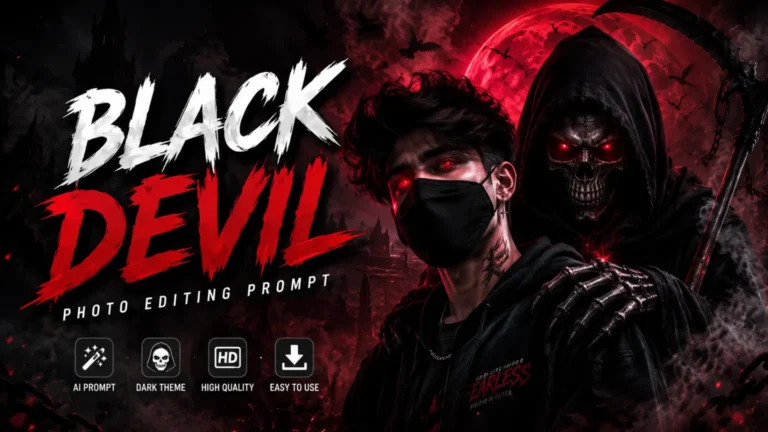
Dark portrait photography has always been one of the most powerful visual styles in the world. It tells stories, creates emotion, and stops people mid-scroll. The good news is that you do not need a professional studio or expensive lighting gear to create it anymore.
With the right dark portrait AI photo editing prompts, you can produce moody, cinematic, and jaw-dropping portrait images in just minutes. We are going to show you exactly how to do it.
What Is a Dark Portrait AI Photo Editing Prompt?
A dark portrait AI photo editing prompt is a written instruction you give to an AI image tool to create or edit a moody, dramatic, or cinematic portrait photo. You describe the lighting, shadows, skin texture, background, mood, and camera style. The AI reads your words and builds a high-quality dark portrait image that matches your vision exactly.
Think of it as directing a photo shoot with words. You are the photographer, the lighting director, and the stylist all at once. You just describe what you want and the AI makes it real.
Why Dark Portrait Photography Is So Popular Right Now
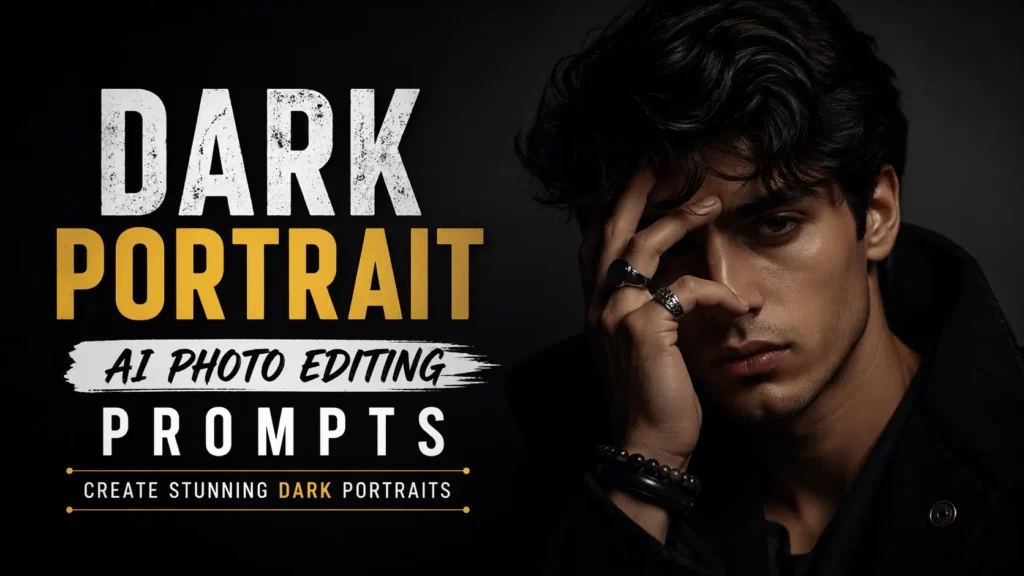
Dark portrait photography connects with people on a deep emotional level. It feels raw, real, and artistic. Social media platforms like Instagram and Pinterest are flooded with moody portrait content because it performs better than almost any other visual style. Creators, brands, musicians, and artists all use dark portrait aesthetics to stand out and build a powerful identity.
Here is why you should start using dark portrait AI prompts today:
- No studio needed: AI creates professional dark lighting setups without any real equipment.
- Save money: forget expensive photographers, lighting rigs, and studio rentals.
- Create fast: generate a full dark portrait series in under ten minutes.
- Total creative control: you decide every shadow, every highlight, every emotion.
- Stand out online: dark moody content gets more saves, shares, and engagement.
Elements of a Powerful Dark Portrait AI Prompt
Writing a great dark portrait prompt is not just about saying “make it dark.” Every powerful prompt needs five specific layers of detail that work together to create a truly cinematic result.
Lighting Style
Lighting is the heart of dark portrait photography. Use terms like Rembrandt lighting, split lighting, chiaroscuro, single candle light source, neon underlit, moonlight only, or dramatic side light. These words tell the AI exactly how to sculpt shadows and highlights on the subject’s face.
Shadow and Contrast
Dark portraits live and die by their shadow work. Add instructions like deep crushed blacks, high contrast shadows, shadow covering half the face, barely lit background, or near-black negative space. These details build the dramatic depth that makes dark portraits so powerful.
Mood and Emotion
Tell the AI what emotion the portrait should carry. Use words like brooding intensity, quiet menace, melancholy beauty, fierce vulnerability, cold stare, haunted expression, or mysterious gaze. Emotion is what separates a good dark portrait from an unforgettable one.
Skin Texture and Detail
Dark portraits look best when skin details are rendered sharply. Include instructions like visible pores, subtle skin texture, sharp eyelashes, wet skin sheen, sweat on forehead, or fine facial hair detail. These micro-details make AI portrait images look genuinely photorealistic.
Camera and Lens Style
Always include camera-style language to push your image toward photorealism. Use terms like shot on Sony A7R, 85mm f/1.4 lens, shallow depth of field, slight bokeh in background, medium format film aesthetic, or 4K hyperrealistic render. These phrases unlock the highest quality output from any AI tool.
Best Dark Portrait AI Prompt Examples
Here are our top dark portrait prompts that you can copy and use right now in Midjourney, DALL-E 3, or Leonardo AI.
Rembrandt Shadow Portrait
Neon Dark Moody Portrait
Candlelit Dark Portrait
Best AI Tools for Dark Portrait Photo Editing
Not all AI tools handle dark portraits equally. We have tested the best platforms so you know exactly where to get the most cinematic, moody results.
- Midjourney v6: The best overall tool for dark portrait photography. Its handling of shadows, skin texture, and dramatic lighting is unmatched. Perfect for moody and cinematic portrait aesthetics.
- DALL-E 3 (ChatGPT): Excellent for following detailed prompt instructions closely. If your dark portrait prompt is very specific, DALL-E 3 sticks to your description better than most tools.
- Leonardo AI: Great for creating consistent dark portrait characters across multiple images. Ideal for building a recurring dark aesthetic persona or brand identity.
- Stable Diffusion XL: Best for power users who want full control. Use dark portrait LoRA models and fine-tuned checkpoints for deeply customized cinematic results.
- Adobe Firefly: Perfect for editing existing portrait photos. Use Generative Fill to add dramatic shadows, moody backgrounds, or dark lighting effects to real photos.
Advanced Tips for Better Dark Portrait Prompts
These are the techniques that professional AI artists use to push dark portrait prompts to the next level.
- Crush the blacks: Add phrases like crushed blacks, deep shadow fall-off, or underexposed background to make your dark tones feel rich and intentional.
- Name a lighting technique: Terms like Rembrandt, butterfly lighting, split lighting, or chiaroscuro instantly improve your result by giving the AI a precise lighting reference.
- Describe the eyes specifically: The eyes carry the entire emotion of a dark portrait. Add details like sharp iris catchlight, one eye in shadow, or cold emotionless stare.
- Use film references: Referencing directors or cinematographers like Roger Deakins style or Christopher Nolan cinematic aesthetic pushes the AI toward truly dramatic results.
- Add texture words: Terms like film grain, analog noise, slight halation, or gritty texture give dark portraits an authentic, non-digital feel.
Who Uses Dark Portrait AI Prompts?
Dark portrait AI prompts are used across a wide range of creative industries. Musicians and artists use them to create album covers, press photos, and social media visuals without expensive studio shoots.
Fashion brands use dark portrait aesthetics for editorial campaigns and lookbooks. Content creators and influencers use them to build a moody, high-fashion personal brand online.
Graphic designers use them as base images for poster art, merchandise, and digital prints. Even game developers and storytellers use dark portrait prompts to create character concept art and visual references.
Common Mistakes
We have seen many dark portrait prompts fail to deliver. Here are the most common mistakes and how you fix each one.
- Saying just “dark”: This is too vague. Always specify the type of darkness — deep shadows, crushed blacks, single source lighting, near-black background. Be precise.
- Skipping emotion: A dark portrait without a defined emotional direction looks flat and empty. Always describe the subject’s expression and energy in your prompt.
- Forgetting texture: AI portraits without texture instructions look plastic and fake. Always add at least one skin texture or material detail to push realism.
- Mixing too many styles: Do not combine gothic, cyberpunk, and noir in one prompt. Pick one dark aesthetic direction and commit to it fully for the best results.
- No camera details: Always include at least one camera or lens reference. Without it, the AI defaults to a generic flat render that lacks true photographic depth.
Conclusion
Dark portrait AI photo editing prompts give you the power to create stunning, cinematic, and emotionally charged images without a studio, a camera, or a big budget. You now have the tools, the techniques, and the ready-to-use prompts to get started today.