Normal to 4K High-Quality Photo Editing Prompts 2026
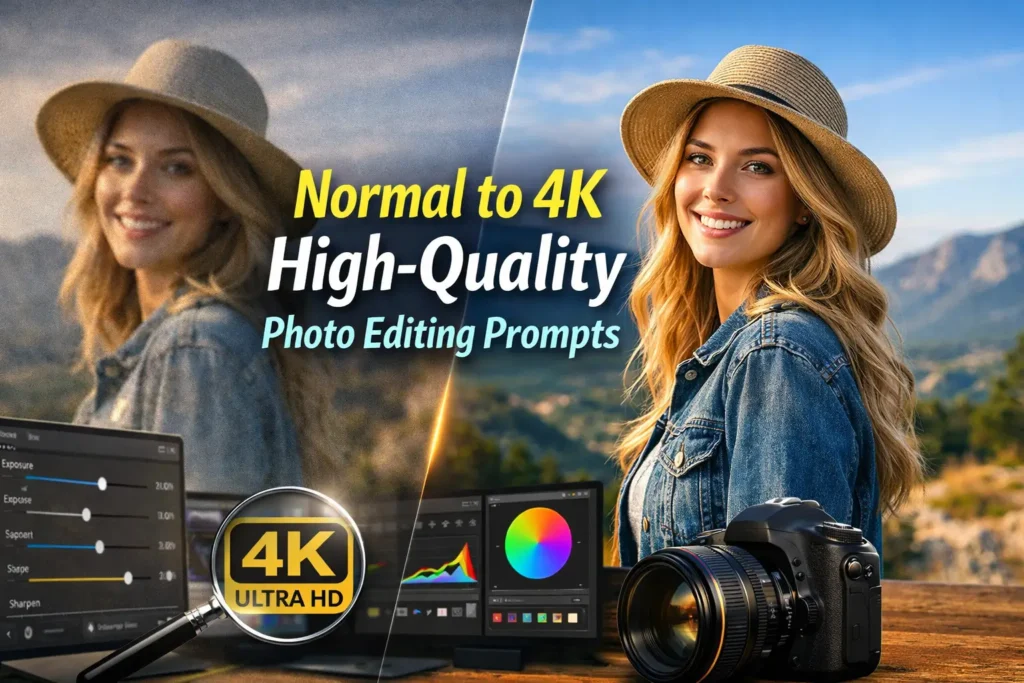
We all capture photos that don’t always turn out the way we expect. Sometimes the image looks dull, slightly blurry, or lacks detail. But now, with AI tools and the right prompts, you and we can easily convert a normal photo into a sharp, vibrant 4K image.
The key is not just the tool it’s how we guide it. In this article, we’ll explore how Normal to 4K prompts work and how you can use them to get professional-quality results.
What is Normal to 4K High-Quality Photo Editing Prompts?
Normal to 4K high-quality photo editing prompts are written instructions that guide AI tools to transform a standard or low-quality image into a high-resolution 4K image.
Instead of just uploading a photo, you and we provide a detailed prompt that tells the AI what improvements to make. These prompts usually focus on enhancing resolution, sharpening details, improving lighting, and maintaining a realistic look.
In simple words, a prompt acts like a command. The better and clearer your command is, the better the final image will be.
What Does Normal to 4K Enhancement Mean?
When we talk about converting an image to 4K, we’re not simply increasing its size. We are improving the overall quality so the image looks clearer, sharper, and more detailed.
This process usually enhances:
So instead of a flat image, you get something that feels more realistic and visually appealing.
Why Prompts Are So Important
Many people think AI automatically gives the best output. But in reality, the result depends heavily on the instructions you provide.
When you write a proper prompt, you are guiding the AI step by step. You’re telling it to focus on clarity, improve lighting, and maintain realism. Without this guidance, the output often looks average.
That’s why we can say: better prompts = better results.
You can get all types of prompts on Prompt Seen.
What Makes a Strong 4K Prompt
A good prompt doesn’t have to be complicated, but it should be clear and purposeful. When you and we create prompts, we usually include a few essential elements.
When these elements are combined properly, the AI understands exactly what kind of result you want.
Best Normal to 4K Photo Editing Prompts
Now let’s move to the practical part. You can use these prompts directly or modify them based on your needs.
Basic 4K Enhancement
Convert this image into 4K ultra HD quality, enhance sharpness and clarity, add fine details, improve lighting, use natural colors, and keep the output photorealistic.
Portrait 4K Enhancement
Enhance this portrait to 4K resolution, sharpen facial features, smooth skin naturally without over-editing, improve lighting, maintain natural skin tones, and create a DSLR-quality realistic look.
Low-Quality to 4K Conversion
Convert this low-quality image into 4K ultra HD, remove noise and blur, restore lost details, sharpen edges, improve brightness and contrast, and produce a clean and realistic result.
Outdoor / Landscape Enhancement
Upscale this outdoor photo to 4K, enhance sky details, improve lighting and shadows, boost natural colors, increase dynamic range, and add realistic textures.
Cinematic 4K Style
Transform this image into cinematic 4K quality with dramatic lighting, deep contrast, rich color grading, and ultra-detailed textures for a professional film-style look.
Tips to Get Better Results
Even with good prompts, you and we should follow a few simple practices to get consistent results.
These small adjustments can significantly improve the final output.
Common Mistakes to Avoid
While working with AI prompts, some mistakes can reduce quality.
If we avoid these, the results become much more natural and professional.
Conclsuion
Normal to 4K photo editing is a powerful way to upgrade your images without complex tools. With the right prompts, you and we can turn ordinary photos into high-quality visuals in just a few seconds.
The secret is simple: be clear, guide the AI properly, and keep your edits realistic. Once you understand this, creating stunning 4K images becomes easy and consistent.